Creating a course on CourseMind
1. Creating a course
Step 1: Access https://coursemind.io/courses
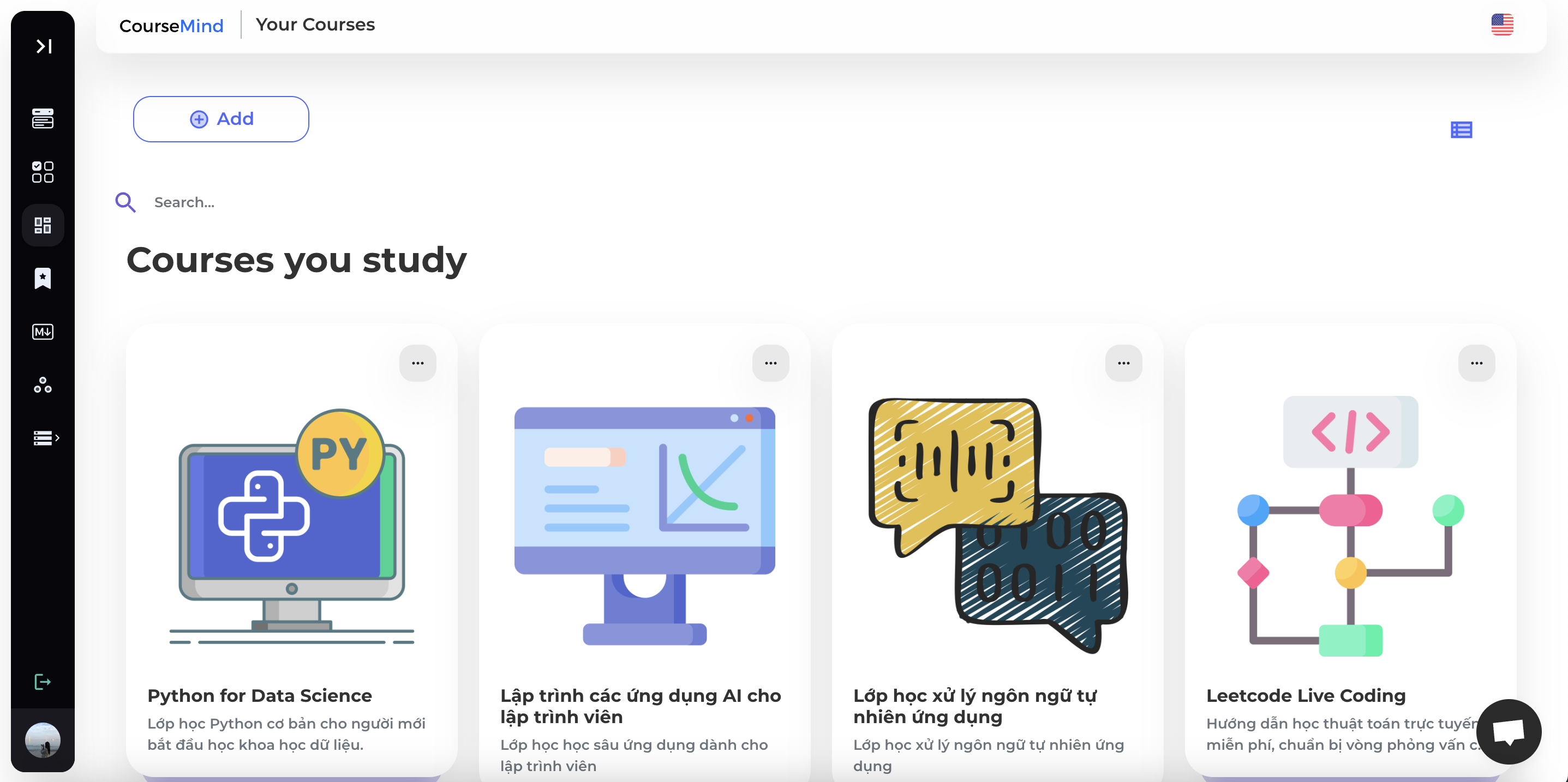
Step 2: Select button [Add] to create a course.
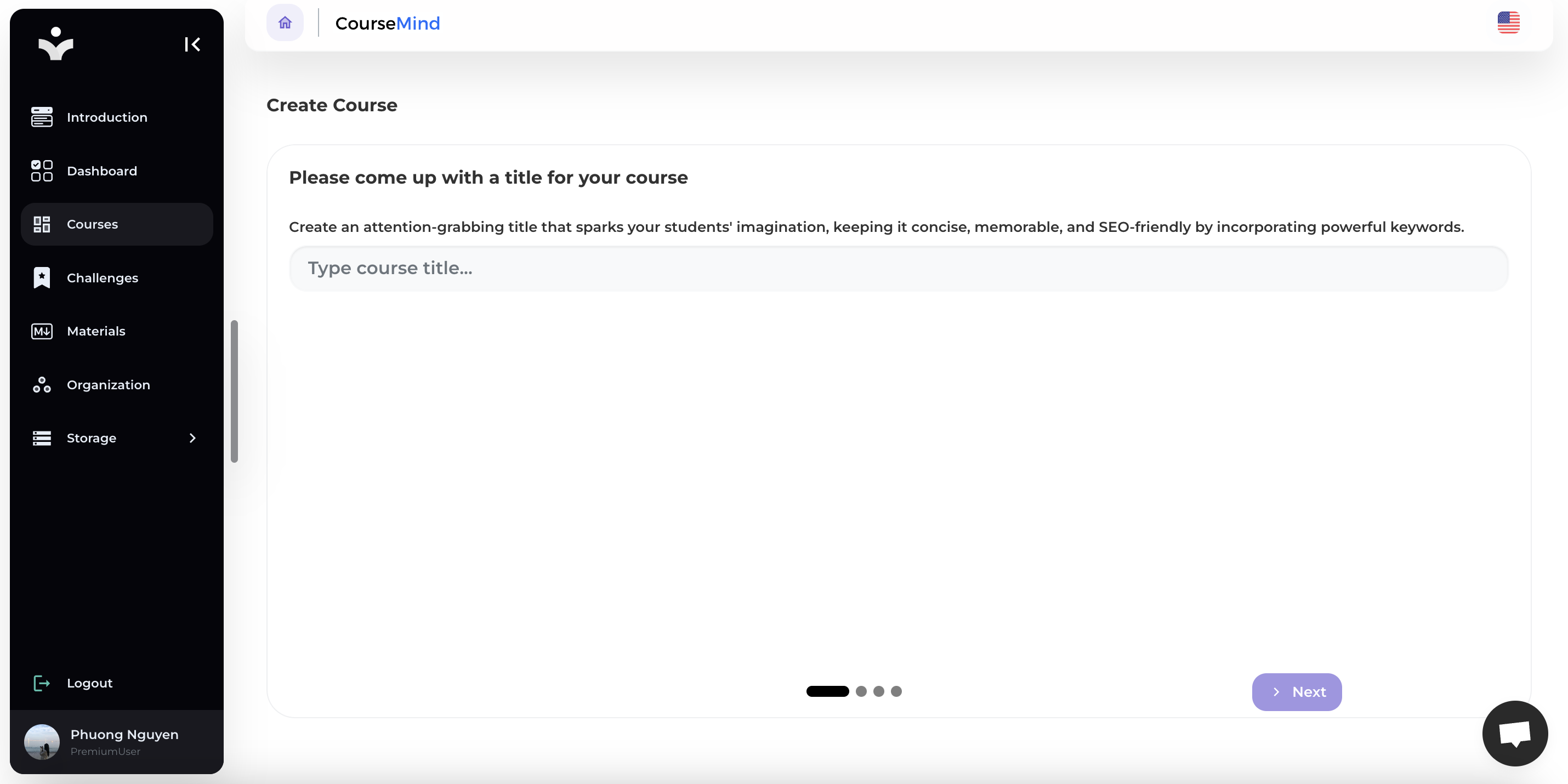
Step 3: Input Course Title
Enter the name of your course. Then select [Next] to proceed with the following steps.
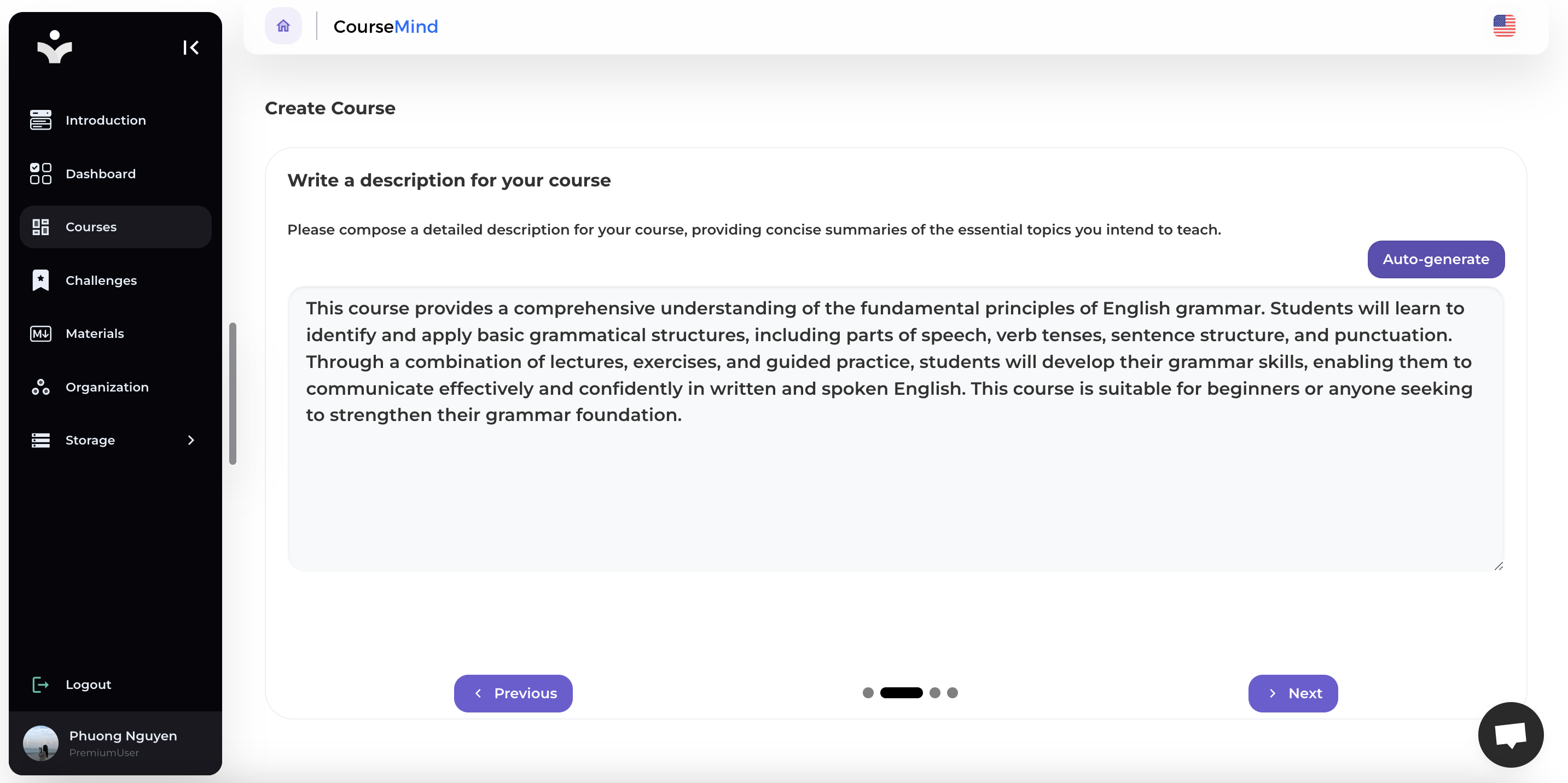
Step 4: Write a description for your course
You can compose a detailed description for your course, providing concise summaries of the essential topics you intend to teach or let AI do it for you by selecting Auto-Generate.

The result of AI Automatic Generation:
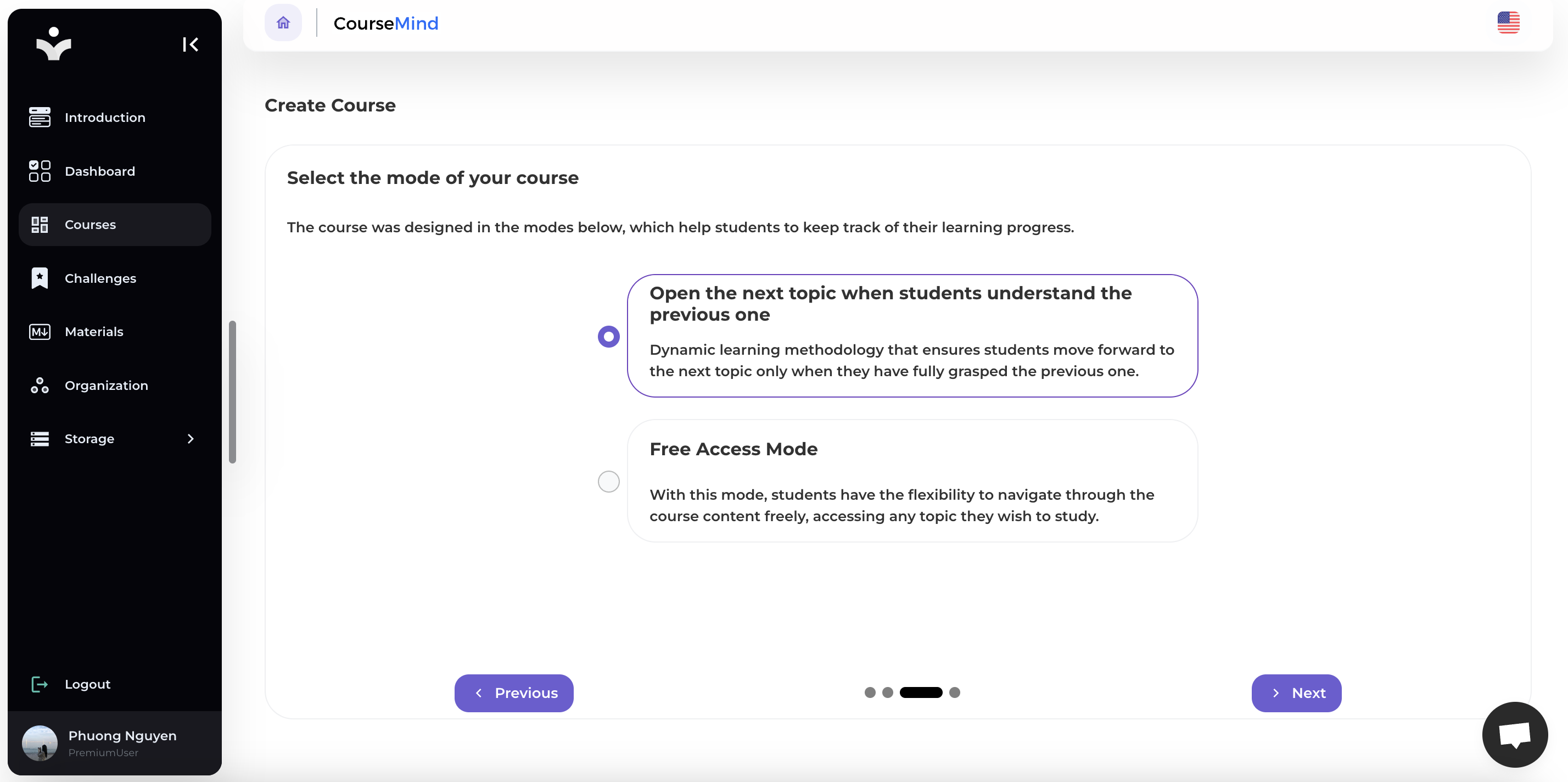
Step 5: Select the mode of your course
The course was designed in the modes below, which help students to keep track of their learning progress:
- Open the next topic when students understand the previous one: Dynamic learning methodology that ensures students move forward to the next topic only when they have fully grasped the previous one.
- Free Access Mode: With this mode, students have the flexibility to navigate through the course content freely, accessing any topic they wish to study.
Step 6: Choose Organization
Choose the organization to which your course belongs.
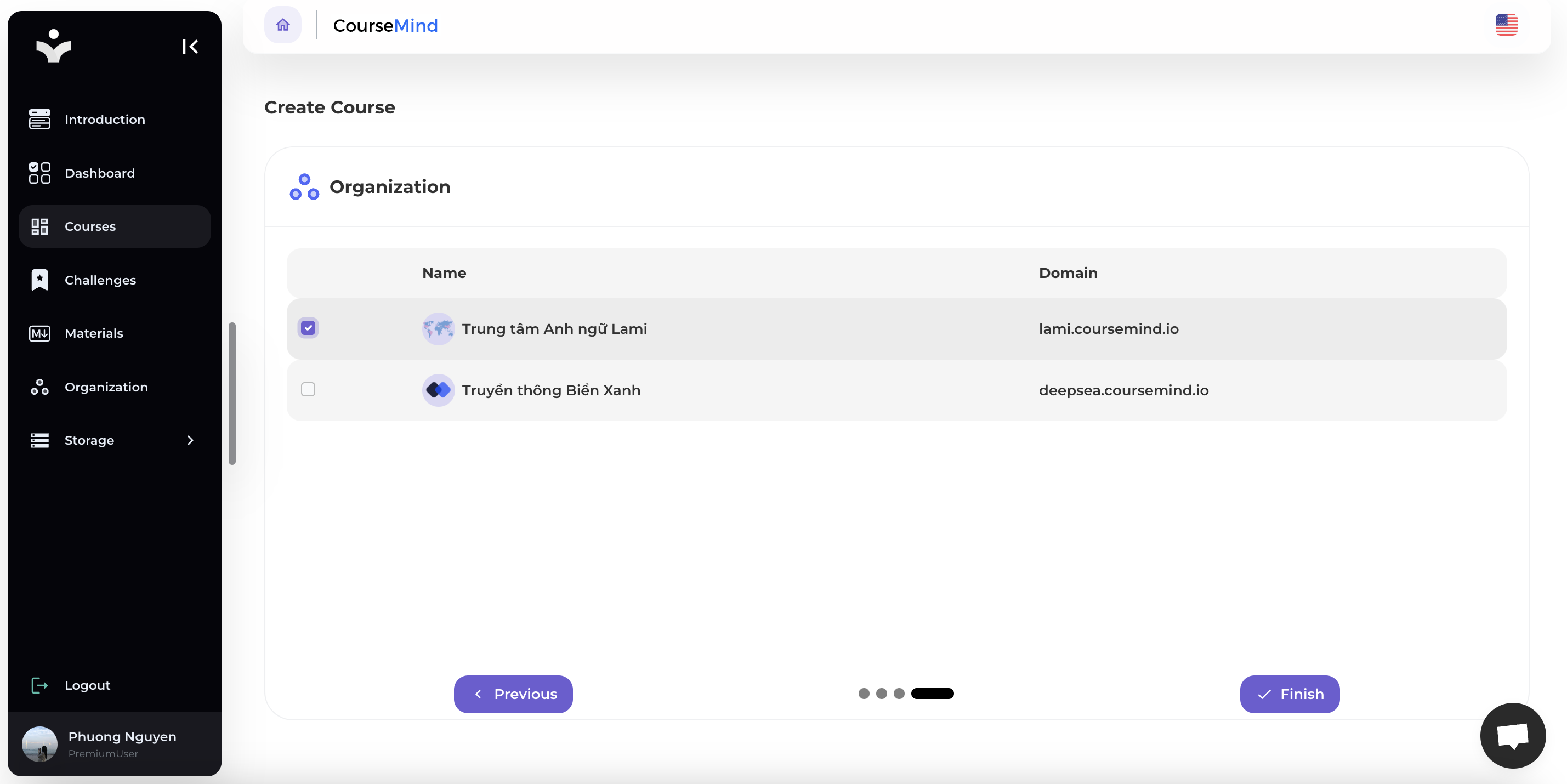
Step 7: Finsih
Select button [Finish] to create course.
2. View course's details.
The created course will appear in the [Courses you teach] section.
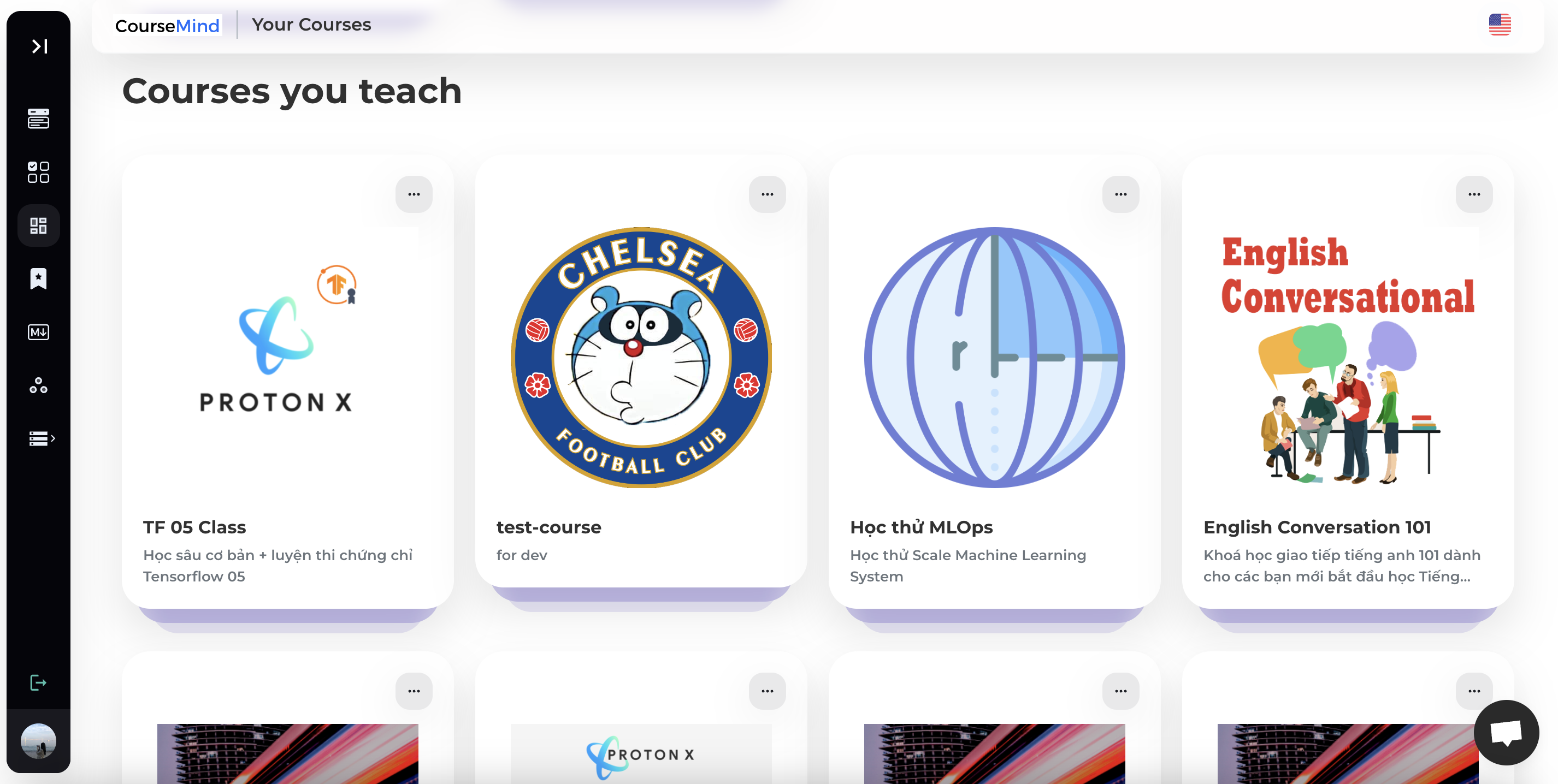
Click on the course to view detailed information or manage your course.

3. Edit Course
Step 1: Choose a course
Press Edit, select Edit course to edit your course's information.

Step 2: Edit course's information


Step 3: Save
Select [Save] to update course's information.
4. Delete course
Step 1: Select [Delete Course]
Press Edit, select Delete Course to delete your course.

Step 2: Confirm
Select [Confirm] to delete course.
5. Manage Class
Please refer to the course management instructions for more details.